Agentic AI Explained: What AI Agents Mean for Your Business Website and Workflows
AI is moving beyond chatbots and simple prompts. Learn how agentic AI and AI agents can execute multi-step business workflows, connect tools, support customers and help businesses automate repetitive work.
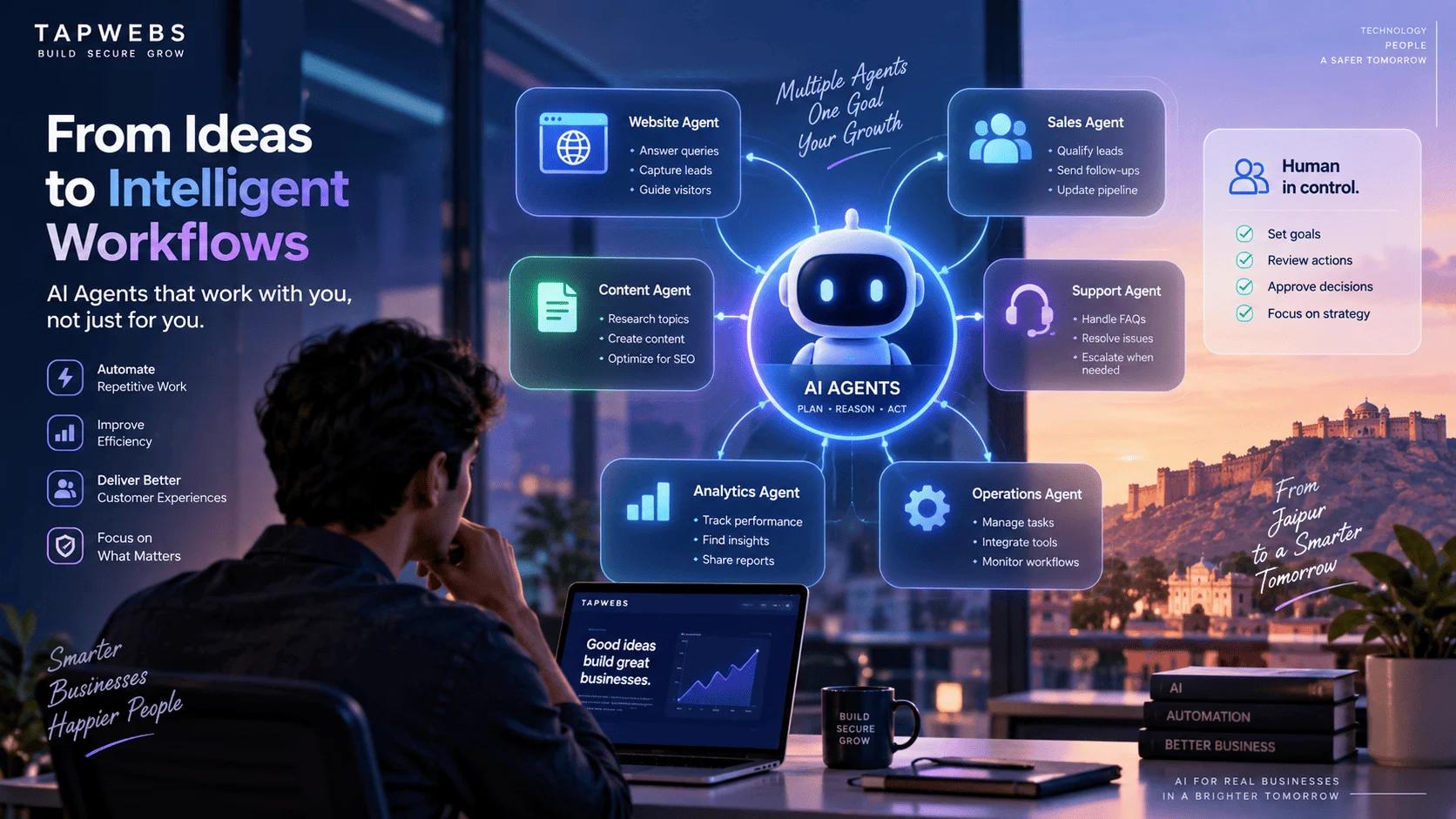
What Is Agentic AI?
For the past few years, businesses have mainly used AI as an assistant.
You ask a question, generate content, summarize a document or analyze some information, and the AI provides an answer.
Agentic AI takes this concept further.
Instead of only responding to a prompt, an AI agent can be designed to understand a goal, plan a sequence of actions, use external tools, evaluate results and continue working toward the objective.
Modern agentic workflows are increasingly being designed around this perception → reasoning → action loop, where agents can interact with tools and adjust their actions based on what happens during execution.
A simple way to think about it is:
Traditional AI
Human -> Prompt -> AI -> Answer
Agentic AI
Human -> Business Goal -> AI Agent -> Plan -> Use Tools -> Take Actions -> Check Results -> Continue / Escalate
The important difference is not simply that an agent can generate better text.
The difference is that an agent can participate in a workflow.
AI Assistants vs AI Agents
An AI assistant and an AI agent can use similar underlying AI models, but their responsibilities can be very different.
| Capability | AI Assistant | AI Agent |
| Answers questions | ✓ | ✓ |
| Generates content | ✓ | ✓ |
| Understands context | ✓ | ✓ |
| Uses external tools | Sometimes | ✓ |
| Plans multiple steps | Limited | ✓ |
Microsoft describes the broader shift as AI moving from responding to requests toward participating in the execution of work across tools and processes.
This means businesses can move from:
"Ask AI to do something."
toward:
"Give AI a goal and let it execute the appropriate workflow within defined boundaries."
How AI Agents Actually Work
An AI agent generally combines several components rather than relying on an AI model alone.
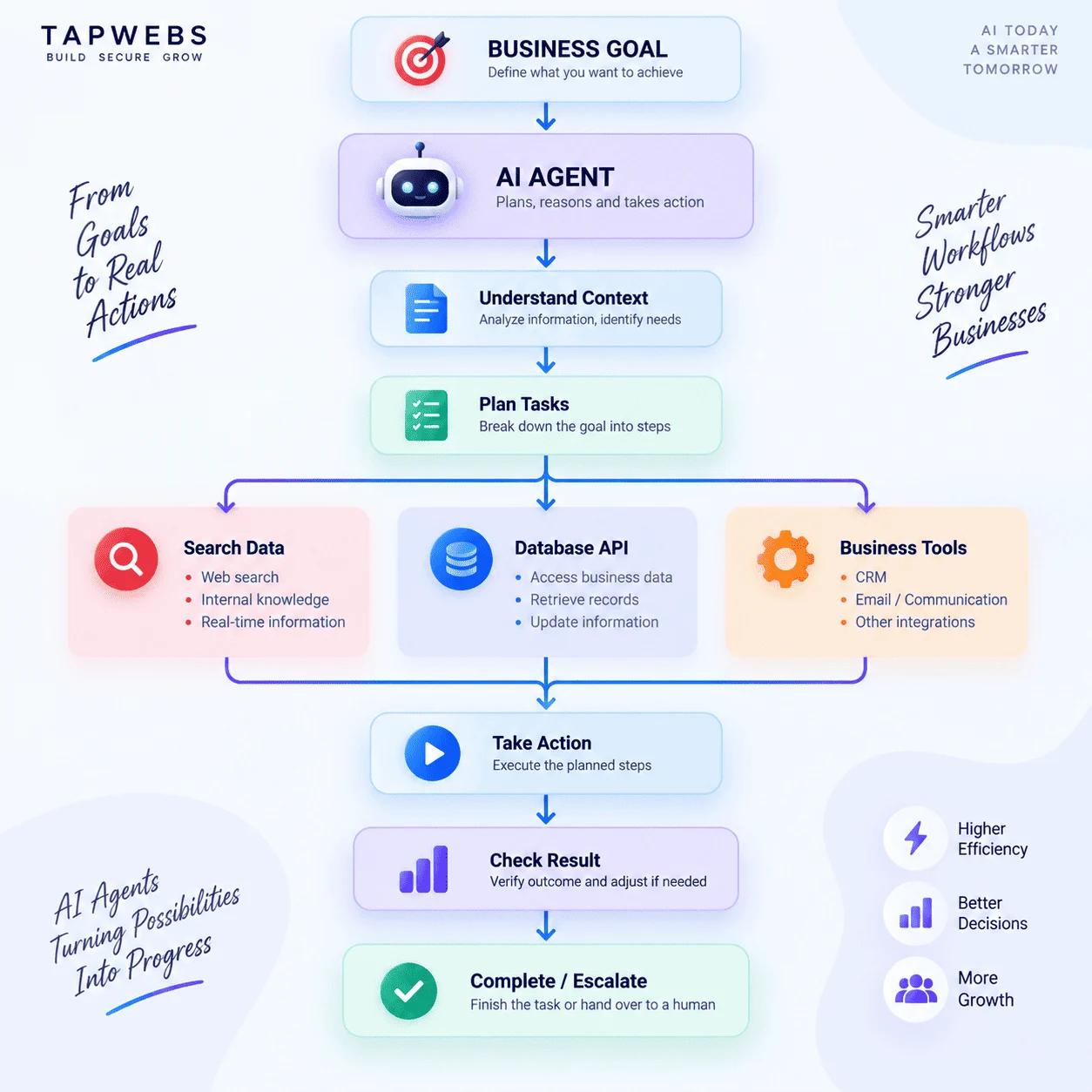
A production agent therefore needs more than an LLM.
It may require:
- Business data
- APIs
- Databases
- Search or retrieval systems
- Authentication
- Tool permissions
- Memory or state
- Monitoring
- Logging
- Human approval
- Security controls
AWS's current guidance similarly emphasizes that moving an agent from a prototype into production requires attention to building, testing, operation, security, observability and governance.
What Makes an AI Agent Different?
There are four important characteristics that distinguish an agentic workflow from a basic chatbot.
1. Goal-oriented behavior
Instead of simply answering:
"What are our latest leads?"
an agent could be given a goal such as:
"Review today's leads, identify high-priority prospects and prepare follow-up actions."
The system can then determine the required steps.
2. Tool usage
Agents can interact with external systems through approved tools and APIs.
For example:
AI Agent -> CRM API -> Customer Information -> Email System -> Follow-up
3. Multi-step reasoning
A business process rarely consists of one action.
For example:
Receive enquiry -> Read customer requirements -> Check service availability -> Identify suitable service -> Prepare response -> Create CRM record -> Notify sales team
An agentic workflow can coordinate these steps rather than requiring a person to manually move information between systems.
Where Businesses Can Use AI Agents
Agentic AI can potentially be applied across many business functions.
| Business Area | Example AI Agent Workflow |
| Sales | Qualify leads and prepare follow-ups |
| Customer Support | Classify enquiries and suggest or execute responses |
| Marketing | Research topics and prepare campaign workflows |
| Finance | Monitor transactions and flag anomalies |
| HR | Organize candidate information and scheduling |
Google Cloud's 2026 research highlights applications spanning customer experience, employee workflows, security and broader business operations.
Benefits of Agentic AI for Businesses
1. Automating repetitive workflows
Employees can spend less time moving information between systems.
2. Faster response times
An agent can begin processing an event immediately instead of waiting for a person to start every step.
3. Better workflow coordination
Agents can connect systems that previously required manual handoffs.
4. Scalable operations
A well-designed workflow can handle more requests without requiring every additional step to be performed manually.
5. More personalized customer experiences
Agents can use approved customer context to tailor interactions and workflows.
6. Continuous monitoring
Some agentic systems can monitor data or conditions and initiate workflows when predefined conditions occur. Google Cloud, for example, has introduced agentic workflows for continuous data monitoring and root-cause analysis.
Risks and Challenges of AI Agents
Agentic AI also introduces a new category of engineering and security challenges.
An AI that can only generate text has limited ability to directly affect an external system.
An AI agent with access to APIs, databases, email, CRM systems or business applications can potentially take real actions.
That means permissions matter.
Important considerations include:
- Authentication
- Authorization
- Least-privilege access
- Human approval
- Audit logging
- Input validation
- Data protection
- Prompt-injection resistance
- Tool security
- Monitoring
- Error handling
- Cost controls
A useful principle is:
An AI agent should only be able to do what it actually needs to do.
For example, a customer-support agent may need permission to read customer tickets, but it may not need permission to delete customer accounts.
How to Start Using Agentic AI
Businesses do not need to automate their entire organization at once.
A better starting point is to identify one repetitive workflow.
Step 1 — Identify the workflow
Look for a process that:
- Happens frequently
- Has predictable inputs
- Requires multiple manual steps
- Uses existing digital tools
- Has measurable outcomes
Step 2 — Map the workflow
Trigger -> Input -> Decision -> Action -> Verification -> Outcome
Step 3 — Decide where AI is actually needed
Not every step requires an LLM.
Some steps may be better handled using deterministic software rules.
Step 4 — Define permissions
Specify exactly what the agent can:
- Read
- Write
- Create
- Modify
- Approve
- Send
- Delete
Step 5 — Add human approval where necessary
High-impact actions should have appropriate approval mechanisms.
Step 6 — Monitor the workflow
Track:
- Success rate
- Errors
- Latency
- Tool calls
- Cost
- Human interventions
- Incorrect actions
Microsoft's agent maturity guidance similarly emphasizes defining where agents operate, what decisions they can make, how humans remain in control and how business value is measured.
Conclusion
Agentic AI represents a shift from AI that primarily responds to AI that can reason, coordinate and execute within defined workflows.
For businesses, the opportunity extends beyond chatbots.
AI agents can potentially help process leads, support customers, monitor systems, coordinate internal operations, analyze information and connect different business applications.
But successful implementation requires more than an AI model.
It requires a clear workflow, reliable data, controlled tool access, security, observability and appropriate human oversight.
The future of business AI may not be about asking better prompts. It may be about designing better systems where humans and AI agents work together.